
Building better habits is the real secret to a successful life. Whether you want to work out daily, drink more water, or finally stop hitting snooze, consistency is everything. But staying on track isn’t easy – especially when motivation fades. That’s where Loop Habit Tracker for Android comes in. This free, open‑source app helps you turn good intentions into automatic routines. And when you pair a solid habit system with proper nutrition – like a high‑quality protein powder to fuel your recovery – your results multiply fast.
In this complete beginner’s guide, you’ll learn everything you need to master Loop Habit Tracker. From installation and setup to advanced scoring and data syncing, we’ll walk through every feature. We’ll also explore how tracking nutrition habits (like drinking a post-workout shake) can supercharge your progress. Ready to take control of your daily life? Let’s dive in.
Table of Contents
Why Choose Loop Habit Tracker?
There are hundreds of habit apps on the Play Store, but Loop stands out for three reasons: simplicity, privacy, and power. It has no ads, no subscriptions, and no data collection. Your habits live entirely on your device – or your own cloud if you choose to sync. Loop uses a sophisticated scoring system (the famous "don’t break the chain" method with a twist) to keep you honest.
For beginners, the interface is refreshingly clean. You’ll see a calendar view where you check off completed habits each day. Over time, you get streaks, frequency tracking, and visual feedback that shows you how small efforts compound into real change.
Getting Started: Installing and Setting Up Loop
First, download Loop Habit Tracker from the Google Play Store. Search "Loop Habit Tracker" – it’s the one with the green circle icon and a simple checkmark.
After installation, open the app. You’ll see a blank screen with a floating "+" button at the bottom right. Tap it to create your first habit.
Step‑by‑step habit creation:
- Name your habit – keep it short and action‑oriented, e.g., “Drink 8 glasses of water” or “Do 10 push‑ups”.
- Choose frequency – you can set a habit to repeat every day, several times a week, or on custom days. For example, “3 times per week” is great for strength training.
- Set a reminder (optional) – Loop can ping you at a specific time. If you want to take a protein shake after a workout, schedule a reminder for right after your gym session.
- Select a score type – you can use “Yes/No”, “Count”, or “Time”. “Yes/No” works best for simple tasks. “Count” tracks quantity (e.g., 2 protein shakes per day). “Time” logs duration (e.g., 30 minutes of meditation).
- Add a note – attach a note to record how you felt, what went well, or what you ate. This is powerful for diet‑related habits.
Once saved, your habit appears on the main screen with a square checkbox. Tap it to mark it done for today. That’s it – you’ve started your journey.
Understanding the Scoring System
Loop uses a unique algorithm that goes beyond simple checkmarks. Every habit gets a score from 0 to 100 based on your consistency. The more consecutive days you complete, the higher your score. A missed day drops the score, but the penalty is smaller if you have a long streak. This motivation concept – based on the “Jerry Seinfeld method” – encourages you to never miss twice.
You can view your score in a bar graph. Tap any habit to see detailed stats: total completions, best streaks, current streak, and a heat map. These insights help you adjust your approach. If your score plateaus, maybe the habit is too hard or you need to change the frequency.
Pro tip: For nutrition habits like “Take protein powder after workout”, set the frequency to match your training days. That way, you only check it when you actually exercise – no guilt on rest days.
Customizing Your Habits for Maximum Stickiness
Loop lets you tweak habits to fit your lifestyle. Long‑press any habit to access edit options.
- Color – assign a color to group habits (e.g., red for health, blue for work).
- Archive – hide a habit without deleting it. Useful when you want to pause a supplement routine.
- Reorder – drag habits to your priority order.
- Notification sounds – choose a gentle tone that won’t annoy you.
For a habit like “Mix and drink protein shake”, set a reminder for the same time every day – say, 7:00 AM. Consistency triggers automaticity. Soon, your body will crave that shake, and Loop will be your accountability partner.
Using the Calendar and History
Tap the calendar icon on the top bar to see a monthly overview. Every day you completed a habit gets a green dot. The more habits you tick off, the fuller your grid. This visual progress is incredibly satisfying – it makes you want to keep your chain unbroken.
Swipe left on the calendar to see previous months. You can review your performance and spot patterns. Did you skip your shake on weekends? Maybe you need a reminder or a different schedule.
Historical data can even be exported as CSV. This is a goldmine for those who track diet and want to correlate habit adherence with strength gains.
Backing Up and Syncing Your Data
Loop’s official version doesn’t sync to the cloud by default – your data stays private. But you can manually back up your habits to a file or use external apps like Syncthing or Dropsync to automate copying the database file. For beginners, the simplest method is:
- Go to Settings (three‑dot menu) → Export to file.
- Send the file to Google Drive or another cloud storage.
- On a new phone, install Loop, then Import from file.
Advanced users can also use the Loop Habits Sync beta feature or set up a WebDAV server. The developer community has created guides for seamless backup. We recommend doing a weekly export – just like you’d regularly buy your favorite Optimum Nutrition Gold Standard 100% Whey Protein Powder to keep your kitchen stocked.
Integrating Loop with Your Fitness and Nutrition Goals
Habit tracking works best when it’s tied to a bigger system. Many people start tracking exercise and gradually add nutrition habits. Here’s how to use Loop for a complete fitness transformation:
- Morning habit: 10 minutes of stretching.
- Pre‑workout habit: Drink 16 oz water.
- Post‑workout habit: Drink a protein shake (use a count score to track number of scoops).
- Evening habit: Prepare tomorrow’s gym bag.
The key is to chain habits together. After completing “post‑workout shake”, you’re more likely to tick “log workout in journal”. Loop’s reminder system can nudge you.
If you’re using a protein powder with specific macros, create a habit called “Log protein intake” and use the “Count” score to enter grams. Over time, you’ll see how your consistency correlates with recovery.
Advanced Features You Should Know
Loop has hidden gems that power users love:
1. Widgets
Add a widget to your home screen to see your daily habits at a glance. No need to open the app – just tap to check off.
2. Tasker Integration
Using Tasker (or Automate), you can trigger habit reminders based on location. For example, when you arrive at the gym, Loop can auto‑prompt you to log your workout and shake.
3. Habit Groups
Organize habits into groups like “Health”, “Work”, “Relationships”. This keeps related activities together. For example: “Take vitamins”, “Drink shake”, “Eat veggies” could all be in a “Nutrition” group.
4. Missed Day Strategy
If you miss a day, Loop’s scoring will penalize you slightly. But you can mark a habit as “skip” (by long‑pressing the checkbox) if you intentionally rest. This doesn’t break the streak. Use this for rest days from the gym without guilt.
Common Mistakes Beginners Make and How to Avoid Them
Even a great app won’t fix bad strategy. Avoid these pitfalls:
- Starting too many habits at once. Pick 3–5 key habits. Track “Take protein powder” and “Drink water” before adding “Meditate 20 minutes”.
- Setting unrealistic frequency. If you know you won’t train every day, set your habit to “3 times a week”.
- Ignoring the data. Look at your scores each week. If a habit has a low score, make it smaller or more concrete.
- Forgetting to backup. A lost phone could wipe months of progress. Export regularly.
Frequently Asked Questions
Q: Is Loop Habit Tracker free?
Yes, Loop 100% free with no in‑app purchases or ads.
Q: Can I sync Loop between devices?
Not natively, but you can manually export/import files. Some users set up automatic sync using third‑party file managers.
Q: Does Loop work offline?
Yes – your data lives on your phone. No internet required.
Q: How do I delete a habit?
Long‑press the habit, tap the three‑dot menu, select “Delete”.
Q: Can I share my habits with a friend?
Loop doesn’t have a built‑in social feature, but you can export your data and send it.
Top Recommended Protein Powders to Fuel Your Habits
When you pair consistent tracking with the right nutrition, your fitness results accelerate. Below are some of the best‑rated protein powders available on Amazon. Use them as a post‑workout habit – and track it in Loop!

Optimum Nutrition Gold Standard 100% Whey, Double Rich Chocolate (1.98 lb) – $44.99 | ⭐ 4.6
Trusted by athletes worldwide, this pure whey isolate blend mixes easily and tastes great.

Optimum Nutrition Gold Standard 100% Whey, Vanilla Ice Cream (5 lb) – $79.99 | ⭐ 4.7
Massive 5‑pound tub for serious long‑term consistency.
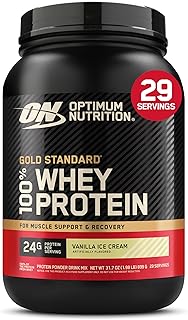
Optimum Nutrition Gold Standard 100% Whey, Vanilla (2 lb) – $44.99 | ⭐ 4.7
Same quality, smaller tub – great for testing a flavor.

Premier Protein Powder, Chocolate Milkshake (29 servings) – $25.97 | ⭐ 4.6
Low sugar, high protein – ideal for weight management.

Orgain Organic Vegan Protein Powder, Vanilla Bean (2.03 lb) – $31.52 | ⭐ 4.5
Plant‑based, organic, with prebiotic fiber – perfect for dairy‑free lifestyles.

Dymatize ISO 100 Whey Protein, Vanilla (5 lb) – $108.99 | ⭐ 4.7
Hydrolyzed whey isolate for ultra‑fast absorption.

Premier Protein Powder, Vanilla Milkshake (17 servings) – $31.60 | ⭐ 4.6
Another great low‑sugar option for your habit pantry.

Transparent Labs Grass‑Fed Whey Isolate, French Vanilla (30 servings) – $59.99 | ⭐ 4.5
Naturally flavored, grass‑fed, with 28g protein per serving.

Body Fortress Super Advanced Whey, Vanilla (3.9 lb) – $45.28 | ⭐ 4.6
Budget‑friendly, with immune support vitamins C & D.

Six Star Whey Protein Powder Plus, Triple Chocolate (1.82 lb) – $24.97 | ⭐ 4.5
Great value for muscle building with added BCAAs.

Isopure Zero Carb Whey Isolate, Unflavored (3 lb) – $89.95 | ⭐ 4.4
Zero carbs, 25g protein per serving – ideal for keto dieters.

Dymatize Elite 100% Whey, Rich Chocolate (5 lb) – $76.18 | ⭐ 4.6
Fast‑digesting whey with 5.5g BCAAs.
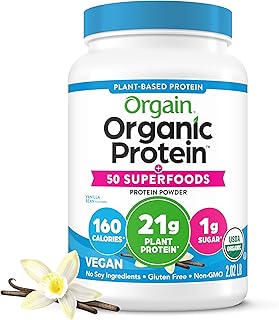
Orgain Organic Vegan Protein + 50 Superfoods, Vanilla (2.02 lb) – $34.15 | ⭐ 4.6
Extra nutrition from superfoods – 21g plant protein plus 8g prebiotic fiber.

Dymatize Fruity Pebbles ISO100 (20 servings) – $42.48 | ⭐ 4.6
Delicious cereal flavor, 25g hydrolyzed isolate.

Dymatize Super Mass Gainer, Gourmet Vanilla (8 servings) – $39.98 | ⭐ 4.5
1280 calories, 52g protein – for serious bulking.

Levels Grass Fed Whey, Pure Chocolate (2 lb) – $44.99 | ⭐ 4.5
No artificial ingredients, 24g protein per serving.

Vital Proteins Collagen Peptides, Unflavored (9.33 oz) – $18.65 | ⭐ 4.6
Supports hair, skin, joints – add to coffee or smoothies.

NAKED Whey Vanilla Protein Powder (24 servings) – $44.99 | ⭐ 4.1
Minimal ingredients: grass‑fed whey, vanilla, organic coconut sugar.

Nutricost Whey Protein Concentrate, Chocolate (5 lb) – $74.95 | ⭐ 4.5
Pure concentrate, great value per scoop.

Orgain Organic Unflavored Vegan Protein (1.59 lb) – $26.99 | ⭐ 4.3
No sugar, no flavor – blend into any recipe.
Final Thoughts
Loop Habit Tracker for Android is one of the most effective free tools to build the life you want. Combine it with a clear nutrition plan – including a consistent protein powder habit – and you’ll see why small daily actions lead to massive transformation.
Start today. Install Loop, create your first three habits, and pick up a protein powder that matches your goals. Your future self will thank you.
For more in‑depth strategies, check out our Loop Habit Tracker Android Review: Features, Pros, and Cons and How to Set up and Use Loop Habit Tracker on Android Effectively?.