
Building a stronger life starts with small, consistent actions. You already know that drinking enough water, exercising, and hitting your protein goals can transform your health and mindset. But how do you actually stay on track every single day? The answer lives in your pocket: your Android phone.
Habit trackers for Android aren't just digital to-do lists. They’re powerful tools that turn vague intentions into measurable progress. Whether you want to nail your daily protein shake intake with Optimum Nutrition Gold Standard 100% Whey Protein Powder or finally build a morning routine, the right app makes the difference between wishing and doing.
In this deep dive, you’ll learn exactly how to select, set up, and master habit trackers on Android. We’ll cover science-backed strategies, app features that matter, and how to tie your nutrition habits (like using Premier Protein Powder, Chocolate Milkshake) into your daily check-in. Let’s turn your phone into your accountability partner.
Table of Contents
Why Habit Tracking Works (And Why Most People Fail Without It)
The brain loves patterns. When you track a habit, you create a feedback loop that reinforces the behavior. Research shows that self-monitoring alone can increase adherence to health goals by up to 40%. But here’s the catch: tracking needs to be frictionless. If your system is clunky, you’ll quit.
Android habit tracker apps solve this by making logging fast, visual, and automatic. They provide streak counters, reminders, and data charts that keep motivation high. The key is knowing how to use them, not just downloading one.
The Connection Between Habit Tracking and Nutrition
Think about your protein powder routine. You might aim for one or two scoops daily. Without tracking, it’s easy to skip “just this once.” But when you open your habit tracker, tap “Yes,” and watch your streak grow, that 5-second action rewires your commitment. The same logic applies to any habit you want to cement.
Step 1: Choosing the Right Habit Tracker App for Android
Not all habit trackers are created equal. Some are minimalistic; others are feature-rich. To effectively use them, you need to match the app to your lifestyle.
Key Features to Look For
- Customizable habits: Ability to set frequency (daily, weekly, times per day).
- Reminders: Smart notifications that don’t annoy.
- Streak tracking: Visual motivation.
- Data export: For deeper analysis.
- Widget support: Quick log from home screen.
- Integration with Google Fit or other health platforms.
For a detailed rundown, check out 10 Best Habit Tracker Apps for Android in 2025.
Popular Contenders
- Loop Habit Tracker (free, open-source)
- Habitica (gamified)
- Streaks (simplicity)
- Productive (timed habits)
When evaluating, think about your protein powder habit. Do you need a reminder at breakfast? A note field for scoop size? Choose an app that lets you create a habit called “Take protein shake” with a schedule of “once every day.”
Step 2: Setting Up Your Habits for Success
This is where most people stumble. They create 15 habits on day one and burn out by day three. Instead, start with the core behaviors that move the needle.
The 3-Habit Rule
Pick only three habits for your first two weeks. One should be nutrition-related. For example:
- Drink a protein shake within 30 minutes of waking.
- Walk for 10 minutes after lunch.
- Meditate for 5 minutes.
Once these become automatic, add more.
How to Configure Your Habit Tracker
Open your chosen app and create a new habit. Name it clearly: “Protein shake (2 scoops).” Set the frequency to daily. Choose a time that aligns with your existing routine (e.g., 7:00 AM). Enable the streak counter. Add a note if you want to log the brand, like Orgain Organic Vegan Protein Powder, Vanilla Bean.
Pro tip: Use the “positive” framing. Instead of “Don’t skip protein,” use “Drink protein shake.” Your brain responds better to approach goals.
Step 3: Integrating Reminders and Widgets
Notifications can be your best friend or your worst enemy. Use them strategically.
- Set one daily reminder for your habit, not ten. Over-reminding leads to notification fatigue.
- Use an Android widget on your home screen. Many apps offer a simple checkbox that lets you log in one tap. This removes the barrier of opening the app.
- Link your reminder to a location. For example, have the reminder trigger when you arrive at the kitchen. Android’s Geofencing (via apps like Tasker) can automate this.
With your protein powder, a 7:00 AM reminder with a widget that shows “Protein shake – 0/1” will create a visual cue you can’t ignore.
Step 4: Using Streaks and Data to Stay Motivated
Streaks are powerful because they exploit loss aversion. You don’t want to break that chain. But to make streaks work long-term, you need a system for forgiveness.
The “Don’t Break the Chain” Method
Jerry Seinfeld famously used a calendar and a red marker. You can replicate this digitally. Most habit trackers display a calendar view. Aim for a green cell every day.
When you miss a day: Don’t reset. Just log it as missed and continue. The app will show your streak as “3 days” instead of “14.” That’s okay. The data is more important than an unbroken string.
Review Your Progress Weekly
Check your habit tracker’s statistics. Look at completion rate per week. If you’re at 80% or higher, you’re doing great. If lower, adjust the difficulty. Maybe you need a smaller habit, like “take one scoop of protein” instead of two.
Use the graph feature to see patterns. Do you skip on weekends? Plan accordingly. You can even tie your habit tracking to a reward: after 21 consecutive days of hitting your protein goal, treat yourself to a new product like Dymatize ISO 100 Whey Protein Powder, Vanilla.
Step 5: Advanced Techniques – Pairing Habits with Nutrition
This is where the habit tracker becomes a nutrition coach. You can create multiple habits that work together.
Habit Stacking
Link a new habit to an existing one. For example:
- After making coffee, I will prepare my protein shake.
- After I log my protein shake in the tracker, I will do 5 push-ups.
The app becomes the bridge between these actions. Set the reminder to fire right after your morning coffee alarm.
Tracking Details with Notes
Many habit trackers allow notes per log. Use this to record which protein powder you used. Over time, you’ll see which flavors you prefer. Maybe Body Fortress Super Advanced Whey Protein Powder, Vanilla keeps you consistent, while another brand doesn’t. Data drives better decisions.
Creating a Supplement Habit Stack
Create a single habit called “Take AM Supplements” that bundles your protein, vitamins, and creatine. Use a checklist within the habit (if the app supports it). Alternatively, create separate habits for each supplement. The latter gives you granular data but requires more logging. Choose based on your preferred level of detail.
For a comprehensive list of features that enable this, read Features to Look for in an Android Habit Tracker App.
Step 6: Overcoming Common Pitfalls
Even with the best app, you’ll face roadblocks. Here’s how to handle them.
“I Forgot to Log”
Make logging part of the habit itself. For instance, after drinking your shake, open the app and tap immediately. Use a widget on the home screen. If you still forget, set a second reminder 30 minutes after the first. But beware of overrides.
“I Missed a Day and I Feel Discouraged”
This is the #1 reason people abandon tracking. Reframe: A missed day is a data point, not a failure. Look at your week average. If you completed 6 out of 7 days, that’s 86% – excellent. The tracker is a tool for learning, not judgment.
“The App Is Too Complex”
Start with the simplest app possible. Loop Habit Tracker is barebones but effective. You can always upgrade later. The goal is consistency, not feature richness.
Real-World Example: Your Protein Powder Habit
Let’s walk through a complete setup for tracking your protein powder intake.
Goal: Consume 50g of protein daily via one shake (2 scoops of Optimum Nutrition Gold Standard Vanilla 5lb).
App Choice: Loop Habit Tracker (free).
Setup:
- Create habit: “Drink protein shake (50g)”
- Frequency: Daily
- Reminder: 7:00 AM
- Widget: Add a 1×1 widget to home screen
- Note: Each day, log the flavor and brand. Over a month, see which one you stick with.
Review: Every Sunday, check the past 7 days. If you logged 5 shakes, ask why the other two missed. Adjust the reminder or the time.
Reward: After 30 days of 80%+ compliance, invest in a new flavor like Six Star Whey Protein Powder Triple Chocolate.
The Role of Accountability Partners
Habit trackers work best when you share your progress. Some Android apps allow sharing streaks with friends. You can also join online communities. When you post “Day 14 of hitting my protein goal,” the social pressure keeps you honest.
If you prefer privacy, use the tracking data to report to a coach or accountability buddy weekly. The app’s export feature can generate a PDF report.
How Long Until a Habit Sticks?
The old “21 days” figure is a myth. Real adherence depends on complexity, environment, and personality. For simple habits like drinking a shake, you might feel automatic after 30 days. But keep tracking even then. The data helps you spot dips before they become breaks.
Many successful people track forever. They use the app as a daily scoreboard. It’s not about needing a reminder; it’s about celebrating consistency.
The Best Protein Powders to Support Your Habit
Now that you have the tracking system dialed in, let’s talk about the fuel itself. The following products are top-rated on Amazon and pair perfectly with your habit tracker. Use your app to log which one you use each day and track your preferences.

1. Optimum Nutrition Gold Standard 100% Whey Protein Powder, Double Rich Chocolate
- Price: $44.99
- Rating: 4.6
- Key Features: 24g protein per serving, low sugar, instantized for easy mixing
- Perfect for tracking because of its consistent scoop size – every serving is exactly the same.

2. Optimum Nutrition Gold Standard 100% Whey Protein Powder, Vanilla Ice Cream, 5 Pound
- Price: $79.99
- Rating: 4.7
- Great value per serving. Track your daily scoop count easily.
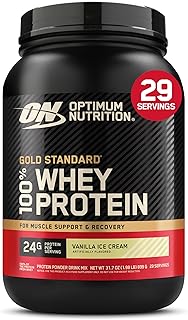
3. Optimum Nutrition Gold Standard 100% Whey Protein Powder, Vanilla Ice Cream, 2 Pound
- Price: $44.99
- Rating: 4.7
- Travel-sized option for on-the-go habit tracking.

4. Premier Protein Powder, Chocolate Milkshake
- Price: $25.97
- Rating: 4.6
- 30g protein, 1g sugar, no soy. Excellent for low-carb tracking.

5. Orgain Organic Vegan Protein Powder, Vanilla Bean
- Price: $31.52
- Rating: 4.5
- Plant-based, 21g protein, 6g prebiotic fiber. Track fiber intake alongside protein.

6. Dymatize ISO 100 Whey Protein Powder, Vanilla 5 Pound
- Price: $108.99
- Rating: 4.7
- Hydrolyzed whey isolate, fast absorption. Perfect for post-workout tracking.

7. Premier Protein Powder, Vanilla Milkshake
- Price: $31.60
- Rating: 4.6
- 30g protein, 1g sugar, keto-friendly. Log your macros daily.

8. Transparent Labs Grass-Fed Whey Protein Isolate, French Vanilla
- Price: $59.99
- Rating: 4.5
- 28g protein, 9 amino acids, gluten-free. Clean label for clean tracking.

9. Body Fortress Super Advanced Whey Protein Powder, Vanilla
- Price: $45.28
- Rating: 4.6
- Immune support with Vitamins C, D, Zinc. Track your immunity habits too.

10. Six Star Whey Protein Powder, Triple Chocolate
- Price: $24.97
- Rating: 4.5
- Affordable, 30g protein per serving. Great starter for habit tracking.

11. Isopure Zero Carb 100% Pure Whey Isolate, Unflavored
- Price: $89.95
- Rating: 4.4
- Zero carbs, 25g protein. Ideal for ketogenic habit tracking.

12. Dymatize Elite 100% Whey Protein Powder, Rich Chocolate, 5 Pound
- Price: $76.18
- Rating: 4.6
- 25g protein, 5.5g BCAAs. Track recovery alongside intake.
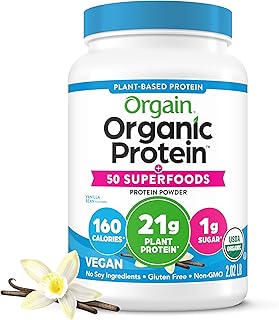
13. Orgain Organic Vegan Protein + 50 Superfoods, Vanilla Bean
- Price: $34.15
- Rating: 4.6
- 21g plant protein, 8g prebiotic fiber. Log superfood diversity.

14. Dymatize x Fruity Pebbles ISO100 Whey Protein Isolate
- Price: $42.48
- Rating: 4.6
- 25g protein, 120 calories per serving. Fun flavor for consistent tracking.

15. Dymatize Super Mass Gainer Protein Powder, Gourmet Vanilla
- Price: $39.98
- Rating: 4.5
- 52g protein, 1280 calories. For those tracking mass gain.

16. Levels Grass Fed Whey Protein Powder, Pure Chocolate
- Price: $44.99
- Rating: 4.5
- 24g protein, no artificials. Undenatured whey for purity tracking.

17. Vital Proteins Collagen Peptides Powder, Unflavored
- Price: $18.65
- Rating: 4.6
- Supports hair, nail, skin, bone, joint health. Track beauty habits.

18. NAKED Whey Vanilla Protein Powder
- Price: $44.99
- Rating: 4.1
- Only 3 ingredients: grass-fed whey, vanilla, organic coconut sugar. Minimalist tracking.

19. Nutricost Whey Protein Concentrate, Chocolate
- Price: $74.95
- Rating: 4.5
- High-quality concentrate at a low price. Great for bulk tracking.

20. Orgain Organic Unflavored Vegan Protein Powder
- Price: $26.99
- Rating: 4.3
- No sugar, no flavor. Use in smoothies and track added ingredients.
Final Word: Your Phone, Your Engine
Habit trackers on Android are not just apps; they are commitment devices. When you couple them with a solid nutrition plan and high-quality protein powder, you build a system that runs on autopilot. The key is to start small, track honestly, and review your data weekly.
You now have the blueprint: choose the right app, configure your habits, use reminders and widgets, leverage streaks, and tie it all to your nutrition. The next step is action. Open the Google Play Store, download a habit tracker, and create your first habit. Make it “Drink one scoop of protein powder.” Then check it off tomorrow morning.
Your future self will thank you.
Frequently Asked Questions
What is the best habit tracker app for Android?
It depends on your style. Loop Habit Tracker is free and minimal. Habitica adds gamification. Streaks focuses on simplicity. Review 10 Best Habit Tracker Apps for Android in 2025 for a full comparison.
Can I use a habit tracker to log protein powder intake?
Absolutely. Create a daily habit called “Take protein shake.” Use the note field to log brand and scoop count. Widgets make this a one-tap action.
How do I set up reminders on Android habit trackers?
Most apps have a built-in reminder system. Set a time that matches your routine (e.g., 7:00 AM). Use the app’s notification settings. Some also allow location-based reminders via Tasker.
Should I track multiple habits at once?
Start with 3 or fewer. Overloading leads to burnout. Once those become automatic, add more. Focus on high-impact habits like nutrition.
What if I miss a day?
Don’t worry. Log it as missed, continue the next day. Review your weekly percentage instead of perfect streaks. Consistency over perfection.
How do habit trackers help with weight loss or muscle gain?
They enforce consistency on nutrition and exercise. Tracking protein intake ensures you hit your daily macro goal. The visual streaks and data motivate you to stay on course.
Are there habit trackers that sync with Google Fit?
Some do, like Habitify and Productive. Check the app’s integrations section. Syncing can unify your health data.
Can I export my habit data from Android?
Yes. Most apps offer CSV or JSON export. Use this for deeper analysis or to share with a coach. Loop Habit Tracker has a reliable export feature.
What features should I look for in a habit tracker app?
Look for customizable habits, reminders, streak tracking, widgets, and data export. For a detailed checklist, read Features to Look for in an Android Habit Tracker App.
How long until a habit becomes automatic?
It varies. Simple habits like drinking a shake can feel automatic in 30 days. Continue tracking even after it becomes easy – the data helps maintain consistency.