

Your financial life doesn’t have to be a mystery. A personal finance dashboard puts your money in clear view—net worth, spending, savings, and goals—all in one place. It’s like a fitness tracker for your wallet.
Building one is surprisingly simple. You don’t need fancy software. A spreadsheet, a notebook, or a free app can do the job. And with timeless resources like Rich Dad Poor Dad and The Psychology of Money to guide your mindset, you’ll turn data into lasting wealth habits.
This guide walks you through creating a dashboard that works for you—step by step.
Table of Contents
What Is a Personal Finance Dashboard?
A personal finance dashboard is a single snapshot of your financial health. It tracks:
- Net worth (assets minus liabilities)
- Monthly income vs. expenses
- Savings rate (percentage of income saved)
- Debt balances and interest rates
- Investment account totals
- Upcoming bills and subscriptions
Think of it as your financial control panel. Without it, you’re flying blind. With it, you make smarter, faster decisions.
Why You Need One
Money stress often comes from not knowing where you stand. A dashboard removes that fog. It helps you:
- Spot spending leaks before they become emergencies.
- Celebrate progress toward goals like paying off debt or building an emergency fund.
- Stay accountable during monthly reviews.
“Too many people spend money they haven’t earned, to buy things they don’t want, to impress people they don’t like.” — That’s the kind of awareness a dashboard builds.
The Key Components of a Great Dashboard
Keep it simple. Focus on what matters most to you. Here are the essentials:
| Component | Why It Matters |
|---|---|
| Net worth | Measures overall financial progress. |
| Income & expenses | Tracks cash flow each month. |
| Savings rate | Shows how much you’re keeping. |
| Debt tracker | Motivates payoff efforts. |
| Investment snapshot | Keeps you focused on long-term growth. |
| Upcoming payments | Avoids late fees and stress. |
You can add more later—like emergency fund status or credit score—but start lean.
Step-by-Step Guide: Build Your Dashboard
Step 1: Choose Your Tool
- Spreadsheet (Google Sheets, Excel) – free, flexible, and shareable.
- App (Mint, YNAB, Personal Capital) – automated but may share data.
- Pen and paper – works if you’re consistent.
I recommend a spreadsheet for full control. Use one tab for monthly tracking and another for net worth.
Step 2: Gather Your Numbers
List all assets: checking, savings, investments, home equity.
List all liabilities: mortgage, student loans, credit card debt, car loans.
Net worth = assets – liabilities.
For monthly cash flow, review the last 3 months of bank and credit card statements. Categorize everything: housing, food, transportation, entertainment, etc.
Step 3: Build the Layout
Create a header with the current month and year.
Below that, add a row for income, then expenses (total and by category).
Include a savings rate cell that auto-calculates.
For net worth, use a separate section or tab. Update quarterly.
Step 4: Add Visuals
A simple bar chart for expenses vs. income makes trends obvious.
A net worth line chart shows your trajectory over time.
Step 5: Schedule Your Review
Set a monthly date (e.g., the first Saturday) to update your dashboard.
During the review, ask:
- Did I stick to my budget?
- Did my net worth increase?
- Am I on track for my goals?
Internalize the habit by learning more about Monthly and Quarterly Money Review Rituals.
How These Books Can Enhance Your Financial Mindset
A dashboard gives you data, but the right mindset turns data into action. Two books have stood the test of time.
Rich Dad Poor Dad by Robert Kiyosaki

Price: $9.31 | Rating: 4.7 (107,000+ reviews)
Kiyosaki’s classic contrasts the mindset of his two “dads”—one rich, one poor. It teaches why assets matter more than income. Reading this will reframe how you view your dashboard’s net worth column. You’ll start asking, “How can I buy assets that pay me?”
The Psychology of Money by Morgan Housel
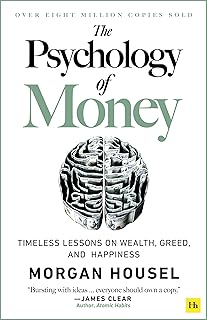
Price: $10.99 | Rating: 4.7 (71,600+ reviews)
Housel explores the behavioral side of wealth—why we make irrational money decisions. It’s a perfect companion to your dashboard because it helps you recognize emotional patterns in your spending. When you see a category spike, you’ll know how to pause and reflect.
Comparison Table
| Feature | Rich Dad Poor Dad | The Psychology of Money |
|---|---|---|
| Focus | Asset-building mindset | Behavioral finance |
| Best for | Beginners wanting to shift from consumer to investor | Anyone who struggles with emotional spending |
| Format | Story-driven parables | Short, standalone chapters |
| Price | $9.31 | $10.99 |
| Rating | 4.7 / 5 | 4.7 / 5 |
| Buy | |
|
Both books pair well with a dashboard. They give you the “why” behind the numbers.
Automating and Securing Your Dashboard
A dashboard is only useful if it’s accurate and safe. Follow these best practices:
- Automate data feeds – Use bank integrations in apps like Personal Capital to pull transactions automatically.
- Schedule reminders – Set a recurring calendar appointment for your monthly review. Learn how to master Automating Reminders for Bills, Renewals, and Deadlines.
- Protect your data – Use strong passwords and two-factor authentication for any online tool. Read up on Data Security Basics for Online Banking and Investing.
- Declutter old accounts – Close unused bank or credit card accounts. They add noise to your dashboard. See Decluttering Old Accounts, Cards, and Financial Products.
Frequently Asked Questions
What if I’m not good with spreadsheets?
Start with a simple notebook. Write your net worth and monthly spending on one page. Upgrade later. The habit matters more than the tool.
How often should I update my dashboard?
Once a month for cash flow, once a quarter for net worth. More frequently can lead to obsessive checking.
Can I use an app instead?
Yes. Apps like Mint or YNAB automate much of the work. But they may sell your data. A spreadsheet gives you complete privacy.
What’s the most important metric?
Savings rate. It directly measures how much you’re building for the future. Aim for at least 15% of gross income.
Start Today, Polish Tomorrow
You don’t need a perfect dashboard on day one. Open a spreadsheet, write down your net worth, and categorize last month’s spending. That’s it.
Then read Rich Dad Poor Dad and The Psychology of Money to deepen your money mindset. Over time, your dashboard will evolve—and so will your financial confidence.
For more support, explore related topics like Tracking Subscriptions and Recurring Payments to Avoid Leaks and How to Track Net Worth Meaningfully (And When Not to Obsess?).