
Building better habits is the secret weapon of high achievers. But knowing what to do and actually doing it are two different beasts. That’s where habit apps come in. They turn vague intentions into daily actions. Whether you’re trying to drink more water, hit the gym, or remember your daily protein shake, a well-used habit app can be your personal accountability partner.
This guide will show you exactly how to use habit apps effectively as a beginner. You’ll learn the science behind them, how to set them up for success, and how to avoid the common traps that cause most people to give up after two weeks. And because nutrition is often part of the habit equation, we’ll also look at how pairing your habit tracking with quality protein powder can supercharge your results.
Start by picking a high-quality protein option like  and track your daily intake using a habit app. It’s a simple but powerful combo.
Table of Contents
Why Habit Apps Work
Habit apps leverage the psychology of consistency. The mere act of checking off a completed task releases a small dopamine hit, reinforcing the behavior. Over time, that tiny reward rewires your brain to crave the action.
Research shows that tracking a habit increases the likelihood of sticking to it by nearly 50%. It’s not magic — it’s the power of feedback loops. When you see your streak grow, you’re less likely to break it.
Habit apps also reduce decision fatigue. Instead of asking yourself “Should I do this today?”, the app removes the choice. It becomes a scheduled part of your day.
Choosing the Right Habit App
Not all habit apps are created equal. Some are minimalist, others are feature-packed. The best one for you depends on your personality and goals.
If you’re unsure which app suits your style, read our guide on How to Choose the Right Habit App for Your Goals?. It breaks down the key factors like design, gamification, and data export.
Key features to look for in a habit app:
- Simplicity — you should be able to log a habit in one tap
- Streak tracking — visually motivates you to keep going
- Reminders and notifications — gently nudge you without being annoying
- Ability to categorize habits (e.g., fitness, nutrition, mental)
- Optional social features — sharing progress with friends can boost accountability
Avoid apps that overwhelm you with too many options at setup. Start simple.
Setting Up Your Habit App for Success
The way you configure your app in the first 10 minutes determines your long-term success. Here’s a step-by-step method that works.
1. Start with 3–5 Habits Max
Trying to do everything at once is a recipe for burnout. Pick the habits that will have the biggest impact. For example:
- Drink a protein shake by 9 AM
- Walk for 20 minutes after lunch
- Read 10 pages before bed
- Meditate for 5 minutes
- Drink 8 glasses of water
Once these become automatic, you can add more.
2. Make the Habits Tiny
A habit that takes less than two minutes is nearly impossible to skip. Instead of “exercise for 30 minutes,” set “put on workout clothes.” Instead of “journal for 20 minutes,” set “write one sentence.”
Tiny habits build momentum. After you start, it’s easy to continue.
3. Set a Consistent Time and Trigger
Link each habit to a specific trigger. For example: “After I finish breakfast, I will log my protein shake.” The app’s reminder should fire at that time.
Use the app’s scheduling feature to repeat the habit daily or weekly. Most apps let you choose specific days — use this to avoid guilt on rest days.
4. Customize Notifications
Don’t let your app turn into a nag. Set one or two reminders at the time you intend to do the habit. Turn off all other alerts.
Some apps allow you to set a “do not disturb” window. Use it to keep your focus during deep work or sleep.
Common Mistakes Beginners Make
Even with the best intentions, most people stumble when using habit apps. Here are the most common pitfalls and how to avoid them.
Mistake 1: Overloading Your App with Too Many Habits
You add 15 habits on day one, then feel overwhelmed and stop logging entirely by day three. Avoid this by starting with 3–5 core habits. Quality over quantity.
Mistake 2: Only Tracking, Not Acting
Tracking is not a substitute for doing. Some users become addicted to checking boxes but never actually perform the habit. The app is a mirror — it reflects what you do, it doesn’t do it for you.
Mistake 3: Ignoring the “Why”
If your habit lacks a deeper purpose, you’ll lose motivation quickly. Before adding a habit, write down why it matters. For example: “I will drink a protein shake every morning because I want to feel stronger during my workouts and recover faster.”
Mistake 4: Setting Habits That Are Too Vague
“Eat healthier” is not a measurable habit. “Eat one vegetable with dinner” is. Use the app to define clear, binary yes/no actions.
Mistake 5: Not Reviewing Your Progress
A habit app provides data — use it. Once a week, review your logs. See which habits you consistently miss and adjust either the habit or the trigger.
Advanced Tips to Maximize Your Habit App
Once you’ve got the basics down, you can level up your habit tracking game.
Use Gamification to Your Advantage
Many apps offer points, badges, or level-ups. These can be powerful motivators, especially for competitive personalities. Set personal targets like “7-day streak” or “complete all habits for a month” and reward yourself (e.g., a guilt-free cheat meal).
Create Habit Chains
Stacking habits is a proven technique. After you complete habit A, you immediately do habit B. Your habit app can help by letting you list habits in order. For example:
- Open blinds (morning trigger)
- Drink a glass of water
- Mix and drink your protein shake
- Meditate for 2 minutes
Use Data to Optimize Your Routine
Some habit apps export or display charts. Look for patterns: Are you more likely to fail on weekends? Do certain habits drop off when you’re tired? Adjust your schedule accordingly. For instance, if you miss the morning protein shake on Saturday, set a later reminder.
Pair with a Physical Habit Tracker
A digital app is great, but writing in a physical journal can reinforce the action. Use your app for reminders and data, and a paper tracker for the satisfying feeling of crossing off with a pen. This dual approach works wonders for many.
Integrating Habit Apps with Your Fitness and Nutrition Goals
Habit apps shine brightest when applied to health and fitness. Tracking nutrition, workouts, and water intake becomes effortless when you automate the logging.
One of the most effective nutrition habits you can track is your daily protein intake. Protein supports muscle repair, satiety, and energy levels. If you’re active, hitting your protein goal is non-negotiable.
Set a habit in your app called “Consume 30g protein” or “Drink protein shake.” Tie it to a specific time, like right after your workout or with breakfast. Then log it every day.
Here’s a sample habit stack using a habit app and protein powder:
| Time | Habit | App Check |
|---|---|---|
| 7:00 AM | Wake up | ✅ |
| 7:05 AM | Prepare and drink Premier Protein Powder, Chocolate Milkshake | ✅ |
| 7:30 AM | Walk 10 minutes | ✅ |
| 8:00 AM | Log breakfast in food tracker | ✅ |
| 12:00 PM | Lunch without screens | ✅ |
| 6:00 PM | Evening stretch | ✅ |
| 8:00 PM | 5-minute journal | ✅ |
Track this for 21 days and you’ll have built a powerful morning routine.
How to Track Protein Intake with Your Habit App
You don’t need a separate nutrition app. Use your habit app with a simple binary checkbox: “Did I hit my protein goal today?” You can also create separate habits for each protein source (e.g., “Drank whey shake,” “Ate chicken breast”) if you want more granularity.
For a complete list of high-quality proteins, see our product recommendations below. Start with a trusted brand like Optimum Nutrition Gold Standard 100% Whey Protein Powder, Double Rich Chocolate 1.98 Pound.
The Role of Protein Powder in Your Habit Stack
Why focus on protein powder in a habit app guide? Because protein powder is a simple, repeatable habit. Scoop, shake, drink. It takes two minutes and delivers measurable results. That’s exactly the kind of habit you want to track.
Using a habit app to log your protein shake each day creates a feedback loop. You see the streak grow, feel stronger, and stay motivated. Plus, many beginners struggle to get enough protein from food alone. A quality powder fills the gap effortlessly.
For a deeper dive into the best apps to track habits like this, check out The 5 Best Habit Tracking Apps to Transform Your Routine. It reviews top options that work perfectly for nutrition tracking.
Top Protein Powders to Fuel Your Consistency
To get the most out of your habit tracking, you need a protein powder that tastes great and mixes easily. Below are 20 top-rated options from Amazon. Each has been selected for quality, value, and user satisfaction.
| Product | Price | Rating | Key Features |
|---|---|---|---|
 |
$44.99 | 4.6 | 24g protein, fast absorbing |
|
$79.99 | 4.7 | 30 servings, great value |
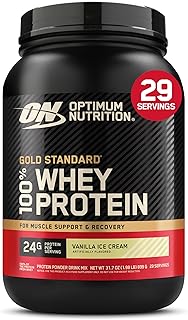 |
$44.99 | 4.7 | Same formula, smaller tub |
 |
$25.97 | 4.6 | 30g protein, 1g sugar, no soy |
 |
$31.52 | 4.5 | 21g plant protein, 6g fiber |
 |
$108.99 | 4.7 | 25g hydrolyzed isolate, fast digesting |
 |
$31.60 | 4.6 | 30g protein, 1g sugar, keto friendly |
 |
$59.99 | 4.5 | 28g protein, 9 amino acids, natural flavor |
 |
$45.28 | 4.6 | With Vitamins C, D & Zinc |
 |
$24.97 | 4.5 | Affordable, 25g protein per serving |
 |
$89.95 | 4.4 | Zero carbs, 25g protein, vitamins added |
 |
$76.18 | 4.6 | 25g protein, 5.5g BCAAs |
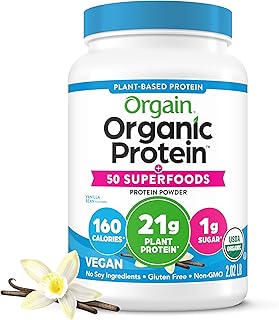 |
$34.15 | 4.6 | 21g protein, 8g fiber, superfoods blend |
 |
$42.48 | 4.6 | 25g isolate, fun flavor, low calorie |
 |
$39.98 | 4.5 | 52g protein, 1280 calories, mass gainer |
 |
$44.99 | 4.5 | 24g protein, no artificials |
 |
$18.65 | 4.6 | Collagen for skin, hair, joints |
 |
$44.99 | 4.1 | Only 3 ingredients, grass fed |
 |
$74.95 | 4.5 | Budget friendly, 5lb tub |
 |
$26.99 | 4.3 | Unsweetened, 21g plant protein |
All these products have excellent ratings and can be easily integrated into your daily habit tracking. Pick one that matches your dietary needs and taste preference.
FAQ
How long does it take for a habit app to work?
Most people see a difference within two weeks. Your brain starts to associate the notification with the action. After 21–66 days, the habit becomes automatic.
Can I use a habit app for nutrition goals like drinking enough water?
Absolutely. In fact, nutrition is one of the best uses for habit apps. You can set a habit like “Drink one full glass of water before coffee” and watch your streak improve your overall health.
What if I miss a day? Should I reset the streak?
No. Many apps allow you to mark a day as missed without resetting the streak. If your app resets, simply start again the next day. Consistency over perfection is the goal.
Which habit app is best for beginners?
It depends on your preferences. For a deep dive, read How to Choose the Right Habit App for Your Goals?. Popular beginner-friendly apps include Habitica, Streaks, and Loop Habit Tracker.
How do I pair protein powder with habit tracking?
Create a daily habit called “Drink protein shake” and set a reminder for the same time each day. Log it immediately after finishing your shake. Use a high-quality powder like Optimum Nutrition Gold Standard to make the habit enjoyable.
Should I track multiple habits at once?
Yes, but only 3–5 when starting. You can add more as your existing habits become automatic. For a list of top habit tracking apps, check out The 5 Best Habit Tracking Apps to Transform Your Routine.