
Building better habits is one of the most powerful investments you can make in your future. Whether you want to exercise daily, drink more water, or remember to take your protein powder after a workout, a reliable habit tracker can make all the difference. Loop Habit Tracker is a free, open-source Android app that helps you build and maintain routines through simple daily check-ins and insightful charts. In this guide, you’ll learn exactly how to set it up and use it effectively—so your habits stick for good.
We’ll use a real-world example throughout: tracking your daily protein shake. Many fitness enthusiasts rely on a high-quality protein powder to support muscle recovery. For instance, Optimum Nutrition Gold Standard 100% Whey Protein Powder, Vanilla Ice Cream, 5 Pound is a popular choice. But even the best supplement only works if you take it consistently. That’s where Loop Habit Tracker shines.
Table of Contents
Why Loop Habit Tracker Is the Best Choice for Android Users
Loop Habit Tracker stands out because it’s minimalist, privacy-focused, and incredibly flexible. No ads, no sign-ups, no bloated features. You get a clean interface, powerful reminders, and rich statistics to keep you motivated. It’s built by habit geeks for habit geeks.
- Free and open-source – No hidden costs or data mining.
- Fully offline – Your habit data stays on your device.
- Customisable – Choose colours, frequencies, and reminder times.
- Visual feedback – Streak counters, heat maps, and over-time charts.
If you’re new to habit tracking, check out our detailed walkthrough: Loop Habit Tracker for Android: a Complete Beginner's Guide. For a balanced view of features and limitations, read our Loop Habit Tracker Android Review: Features, Pros, and Cons.
How to Set Up Loop Habit Tracker: Step by Step
Step 1: Download and Install
Loop Habit Tracker is available on the Google Play Store. Search for “Loop Habit Tracker” (by Rodrigo Souza) and install it. It requires Android 5.0 or higher and takes up only a few megabytes.
Step 2: Create Your First Habit
Open the app and tap the + button. You’ll see a form with several fields.
- Name – Be specific. Instead of “Drink more water,” try “Drink 8oz protein shake after workout.”
- Notes (optional) – Add details like the type of protein powder you’re using. For example: “Use Premier Protein Powder, Chocolate Milkshake mixed with almond milk.”
- Frequency – Choose how often you want to check off the habit. Daily is common, but you can set it to “2 times per week” or “custom schedule.”
- Reminder – Set a specific time (e.g., 7:00 PM) so you never forget your post-workout shake.
- Color – Pick a colour to help you scan your dashboard faster.
Tap Save. Your habit now appears on the main screen.
Step 3: Check Off Your Habit Daily
Every day you complete the habit, tap the circle or the “+” icon next to it. A square will fill in, and your streak counter will increase. Miss a day, and that square stays empty.
Pro tip: Don’t break the chain. Even a small step counts. If you forget to mix your protein powder, just take a scoop of water with a dash of BCAA—something is better than nothing.
Step 4: Customise Advanced Settings
Long-press on a habit and select Edit. Here you can:
- Adjust the frequency type (e.g., weekly, monthly, or number of times per period).
- Enable repetitive reminders (e.g., every 2 hours).
- Set an end date for short-term challenges (like a 30-day protein challenge).
- Choose explicit yes/no mode if you prefer binary checks.
Loop also supports score-based markings for habits that aren’t all-or-nothing. For protein powder intake, you could log how many scoops you had (1, 2, or 3).
Step 5: Use the Integrated Calendar and Statistics
Tap the Calendar icon at the top to see a monthly heat map. Green squares represent complete days; red or missing are missed. This visual feedback is incredibly motivating.
Swipe left on the main screen to view Statistics. You’ll see:
- Current streak – Number of consecutive successes.
- Longest streak – Your personal best.
- Total completions – All-time count.
- Compliance rate – Percentage of days you stuck to the habit.
- History chart – Frequency over weeks or months.
These metrics help you identify patterns. If you notice you often skip protein on weekends, adjust your reminder or change the habit to “weekdays only.”
Advanced Techniques to Supercharge Your Habit Tracking
Use Multiple Habits for a Complete Routine
Tracking one habit is good; tracking a system is better. Create separate habits for:
- Morning protein shake (reminder: 7 AM)
- Post-workout protein shake (reminder: immediately after exercise)
- Evening collagen or casein (reminder: 9 PM)
Then view your Dashboard to see all habits at a glance. The app shows a combined streak and percentage, which reinforces consistency.
Leverage the “Sub-Habits” Concept (Manual Workaround)
Loop doesn’t have native sub-tasks, but you can create a checklist habit using the notes field. For example:
Habit name: Prepare protein shake
Notes: 1 scoop Transparent Labs Grass-Fed Whey Protein Isolate + 12oz water + shake
Each day you complete all steps, mark the habit done. To see partial progress, create separate habits for scooping and mixing.
Set Up “Negative” Habits (Do Less of Something)
You can track avoidance habits too, like “Skip junk food after 8 PM.” Loop allows negative scoring if you enable it in settings. Or simply create a habit called “No late-night sugar” and check it off when you succeed.
Backup and Export Your Data
Because Loop is offline, your data won’t sync across devices. To avoid losing your streaks, go to Settings > Import/Export and save a JSON backup to your phone or Google Drive. You can also export a CSV for analysis in Excel.
Real Example: Building a Protein Powder Habit with Loop
Let’s say you’ve just bought Dymatize ISO 100 Whey Protein Powder, Vanilla 5 Pound. You want to consume one scoop every day post-workout. Here’s how to set it up in Loop:
- Create habit: “Post-workout ISO 100 shake”
- Reminder: 6:00 PM (your typical gym time)
- Frequency: Daily
- Notes: “1 scoop Dymatize ISO 100 Vanilla + 8oz water, drink within 30 mins of exercise.”
Now, after every workout, you open the app and tap the +. After 21 days, you’ll have built a solid routine. Loop will show your 21-day streak, and the statistics will prove your consistency.
Common Mistakes and How to Avoid Them
- Too many habits at once – Start with 1–3. Adding 10 habits on day one is a recipe for burnout.
- Unclear habit names – “Protein” is vague. “Post-workout protein shake within 30 mins” is clear.
- Ignoring streaks – A broken streak isn’t failure. Use it as data. Why did you miss? Adjust your reminder or habit size.
- Not using reminders – Your phone forgets nothing. Let the app nudge you.
- Forgetting to backup – Do this monthly to keep your history safe.
How Loop Habit Tracker Complements Your Nutrition Goals
Tracking protein intake is just one piece of the puzzle. Loop can also help you track:
- Meal frequency (eat 5 small meals)
- Water consumption (8 glasses/day)
- Sleep duration (7+ hours)
- Meditation (10 minutes)
- Supplement timing (multivitamin, creatine, omega-3)
By logging these daily, you create a holistic health tracking system. And because Loop is offline, you don’t have to worry about privacy—your nutrition data stays yours.
Need more ideas? Our detailed guide Loop Habit Tracker for Android: a Complete Beginner's Guide covers dozens of practical habit examples.
Top Protein Powders to Pair with Your Habit Tracking
Now that you know how to build the tracking system, it’s time to choose a protein powder that fits your goals. Below are some of the best sellers on Amazon, each with a clickable image and link.

Optimum Nutrition Gold Standard 100% Whey Protein, Double Rich Chocolate (1.98 lb) – $44.99 – ★4.6 – A classic whey blend with 24g protein per serving.

Optimum Nutrition Gold Standard 100% Whey Protein, Vanilla Ice Cream (5 lb) – $79.99 – ★4.7 – Larger tub for serious trainees.
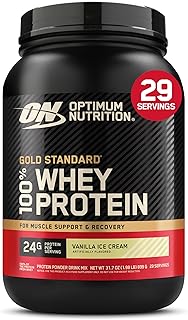
Optimum Nutrition Gold Standard 100% Whey Protein, Vanilla (2 lb) – $44.99 – ★4.7 – Great starter size.

Premier Protein Powder, Chocolate Milkshake (41.9 oz, 29 servings) – $25.97 – ★4.6 – Low sugar, high protein (30g), gluten free.

Orgain Organic Vegan Protein Powder, Vanilla Bean (2.03 lb) – $31.52 – ★4.5 – Plant-based with 21g protein and 6g prebiotic fiber.

Dymatize ISO 100 Whey Protein Powder, Vanilla (5 lb) – $108.99 – ★4.7 – Hydrolyzed isolate – fast absorbing, pure protein.

Premier Protein Powder, Vanilla Milkshake (23.3 oz, 17 servings) – $31.60 – ★4.6 – Another low-sugar option, 30g protein.

Transparent Labs Grass-Fed Whey Protein Isolate, French Vanilla (30 servings) – $59.99 – ★4.5 – High quality with clean ingredients.

Body Fortress Super Advanced Whey Protein Powder, Vanilla (3.9 lb) – $45.28 – ★4.6 – Immune support with vitamins C, D and zinc.

Six Star Whey Protein Powder, Triple Chocolate (1.82 lb) – $24.97 – ★4.5 – Budget-friendly with whey isolate and peptides.

Isopure Zero Carb 100% Pure Whey Isolate, Unflavored (3 lb, 47 servings) – $89.95 – ★4.4 – Zero carbs, ideal for keto.

Dymatize Elite 100% Whey Protein Powder, Rich Chocolate (5 lb, 63 servings) – $76.18 – ★4.6 – Great value with 25g protein.
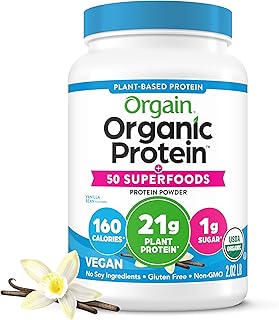
Orgain Organic Vegan Protein + 50 Superfoods, Vanilla Bean (2.02 lb) – $34.15 – ★4.6 – 21g protein plus 8g prebiotic fiber.

Dymatize x Fruity Pebbles ISO100 Whey Protein Isolate (20 servings) – $42.48 – ★4.6 – Delicious flavour, 25g isolate.

Dymatize Super Mass Gainer, Gourmet Vanilla (8 servings) – $39.98 – ★4.5 – 52g protein + 1g creatine for bulking.

Levels Grass Fed Whey Protein Powder, Pure Chocolate (2 lb) – $44.99 – ★4.5 – Clean, undenatured whey from grass-fed cows.

Vital Proteins Collagen Peptides Powder, Unflavored (9.33 oz) – $18.65 – ★4.6 – Supports hair, skin, nails, and joints.

NAKED Whey Vanilla Protein Powder (24 servings) – $44.99 – ★4.1 – Only 3 ingredients: grass-fed whey, vanilla, organic coconut sugar.

Nutricost Whey Protein Concentrate, Chocolate (5 lb) – $74.95 – ★4.5 – Budget-friendly concentrate.

Orgain Organic Unflavored Vegan Protein Powder (1.59 lb) – $26.99 – ★4.3 – Unsweetened, 21g plant protein, soy free.
Each of these powders can be added as a habit in Loop. Simply create a habit with the product name, set a reminder, and start checking off your daily dose.
Frequently Asked Questions
Can I sync Loop Habit Tracker across multiple Android devices?
Loop Habit Tracker is designed for single-device offline use. You can manually export your data (JSON) and import it on another device, but automatic cloud sync isn’t available.
Is Loop Habit Tracker completely free?
Yes. There are no ads, in-app purchases, or premium tiers. The app is developed and maintained by volunteers.
How do I reset a streak if I accidentally miss a day?
You can’t reset a single day without editing the history. Instead, long-press on a day in the calendar and toggle its status. Use this sparingly, as it can undermine your integrity with yourself.
Can I track habits that need to be done multiple times per day?
Absolutely. When editing a habit, choose “Frequency” and set “Number of times per day” to 2, 3, or more. Loop will show multiple checkboxes for each day.
What happens if I change my protein powder brand?
Simply edit the habit’s notes field. Your historical streak remains intact. The habit name stays the same unless you want to create a new habit for each product.
Does Loop work offline?
Yes, completely offline. No internet connection needed. Your data never leaves your phone.
Final Thoughts: Make Your Habits Stick with Loop
You now have a complete blueprint for setting up and using Loop Habit Tracker on Android effectively. From creating your first habit to analysing streaks and adjusting routines, this app puts the power of behaviour change in your hands. Pair it with a consistent protein powder routine, and you’ll see real progress in your fitness goals.
Remember, the key is consistency over perfection. Use Loop’s gentle reminders and visual rewards to stay on track. And if you ever need inspiration, revisit our comprehensive Loop Habit Tracker Android Review: Features, Pros, and Cons or dive deeper with the Loop Habit Tracker for Android: a Complete Beginner's Guide.
Now go ahead, download Loop, create your “protein powder” habit, and start building the life you deserve—one daily check-in at a time.