
Your iPhone is already a powerhouse in your pocket. But to truly unlock your potential, you need the right task management app to turn chaos into clarity. Whether you're juggling work deadlines, family commitments, or a demanding fitness and nutrition routine (like tracking your protein powder intake), the right tool can make all the difference. In this exhaustive comparison, we break down the best task management apps for iPhone, analyzing features, pricing, strengths, and weaknesses so you can pick the one that matches your workflow.
We’ll also share expert insights on how to stay consistent, because consistency is the bridge between ambition and achievement. Pair your productivity system with a solid nutrition plan, and you’ll build unstoppable momentum.
Table of Contents
What Makes a Great Task Management App for iPhone?
Before diving into each app, let’s define the criteria we used for this comparison:
- Native iOS Integration – Does it support Siri, widgets, Apple Watch, and the Share Sheet?
- Task Capture Speed – Can you add a task in under three seconds?
- Organizational Power – Projects, tags, priorities, deadlines, and recurring tasks.
- Cross-Platform Sync – Do you also use a Mac, iPad, or Windows machine?
- Collaboration – Can you share lists or assign tasks to others?
- Price – Free or paid? Is the subscription justified?
Every app below excels in some areas and compromises in others. Your perfect match depends on your personal workflow and goals.
1. Todoist – The All-Rounder for Busy Lives
Todoist remains the most popular task manager for good reason. It balances simplicity with deep functionality. With natural language input, you can type “Buy protein powder every Monday” and it automatically sets a recurring task.
Key Features:
- Natural language parsing (quickly add tasks with dates and priority)
- Project and sub-task hierarchy
- Labels and filters for advanced sorting
- Collaboration with shared projects
- Productivity tracking with Karma points
- Integrates with Zapier, IFTTT, Google Calendar, and more
- Available on every platform
Pros:
- Extremely fast to capture tasks
- Clean, distraction-free design
- Free tier is generous (up to 5 active projects)
- Siri and widget support
Cons:
- Some advanced features require Premium ($5/month)
- No built-in Pomodoro timer
- Not as visually customizable as some competitors
Best For: People who need a reliable, cross-platform system that scales from simple to-do lists to complex project management.
Pricing: Free (limited), Pro $5/month, Business $8/month per user.
Learn more: If you're looking for more free options, check out our guide on Best Free Productivity Apps for Iphone in 2024.
2. Things 3 – The Elegant Choice for Apple Enthusiasts
Things 3 is a beautifully designed app that feels like a native part of iOS. It follows GTD (Getting Things Done) principles but remains intuitive even if you’ve never read the book.
Key Features:
- Today and This Evening sections for daily focus
- Apple Watch app that works offline
- Quick Find to search across all projects
- Deep integration with Reminders, Calendar, and Share Sheet
- Headers and checklists within tasks
Pros:
- Polished, intuitive interface
- Excellent widget and Siri support
- One-time purchase, no subscription
- Perfect for people who love a clean, focused workspace
Cons:
- No web or Android version (iPhone, iPad, Mac only)
- No collaboration features
- Pricey upfront cost ($19.99 for iPhone, $49.99 for Mac)
Best For: Apple power users who don’t need team collaboration and want a premium, distraction-free experience.
3. Microsoft To Do – The Free Powerhouse for Outlook Users
Microsoft To Do (formerly Wunderlist replacement) is a solid, free task management app that integrates tightly with Outlook and Office 365. It’s simple but offers enough structure for daily planning.
Key Features:
- My Day – A daily focus list that resets each morning
- Suggested tasks from flagged emails in Outlook
- Steps and notes within tasks
- Group lists with shared access
- Integration with Planner, Teams, and Power Automate
Pros:
- Completely free (no premium tier)
- Excellent Microsoft ecosystem integration
- Clean interface, easy to learn
- Smart suggestions for planning your day
Cons:
- Limited project hierarchy (only lists and groups)
- No natural language input
- Less advanced than Todoist or Things 3
Best For: Professional users who live in Outlook and need a simple but effective task manager at no cost.
4. TickTick – The Feature-Rich Workflow Companion
TickTick started as a simple to-do app but evolved into a full productivity suite. It combines task management with a Pomodoro timer, habit tracker, calendar, and even a white noise player.
Key Features:
- Pomodoro timer built into the app
- Habit tracking and recurring tasks
- Calendar view with drag-and-drop scheduling
- Smart lists and tags
- Collaboration with shared lists
- Full Markdown notes in tasks
Pros:
- Incredible value for the all-in-one features
- Siri, widget, and Apple Watch support
- Cross-platform (Windows, Mac, Android, iOS, Web)
- Free tier is very capable
Cons:
- Interface can feel busy compared to Things 3
- Some features (like calendar) require premium ($3.99/month)
- Not as polished as premium-only apps
Best For: People who want a single app to manage tasks, habits, and focus time without juggling multiple tools.
5. OmniFocus 4 – The Power User’s Swiss Army Knife
OmniFocus is the heavyweight champion for GTD disciples. It offers unparalleled power for complex projects, perspectives, and automation using Apple Shortcuts.
Key Features:
- Custom perspectives (create smart filtered views)
- Forecast view combining due dates and calendar events
- Review perspective for weekly planning
- Context tags (e.g., @Office, @Phone, @Gym)
- Powerful automation via Shortcuts
- Defer dates and completion triggers
Pros:
- Extreme customization and flexibility
- Excellent for managing many projects with dependencies
- Full Siri and Apple Watch support
- Local database sync via Omni Sync Server
Cons:
- Steep learning curve
- No web or Android version
- Expensive ($49.99 for Standard, $99.99 for Pro)
Best For: GTD practitioners and high-volume managers who need surgical control over their task pipeline.
6. Notion – The All-in-One Workspace (Task Management Optional)
Notion is not a task management app per se, but with its database and kanban views, it can replace many apps. You can create a task system from scratch that fits your exact needs.
Key Features:
- Databases with custom properties (dates, status, assignee)
- Board, calendar, list, and timeline views
- Wiki, docs, and project notes
- Collaboration with real-time editing
- Templates for everything
Pros:
- Infinite flexibility – you build what you need
- Free for personal use
- Great for combining task management with knowledge base
- Powerful sharing and permissions
Cons:
- No native Siri task capture out of the box
- Can be slow to load on older iPhones
- Not optimized for quick task addition
- Learning curve is steep for new users
Best For: Teams and individuals who want a unified workspace for notes, tasks, and databases, and are willing to invest time in setup.
Quick Comparison Table
| App | Best For | Key Features | Price | Rating |
|---|---|---|---|---|
| Todoist | Cross-platform reliability | Natural language, filters, collaboration | Free / $5 mo | ★★★★½ |
| Things 3 | Apple design lovers | GTD structure, intuitive UI | $19.99 (iPhone) | ★★★★★ |
| Microsoft To Do | Outlook integration | My Day, email sync, free | Free | ★★★★ |
| TickTick | All-in-one productivity | Pomodoro, habits, calendar | Free / $3.99 mo | ★★★★½ |
| OmniFocus 4 | GTD power users | Perspectives, automation, forecasting | $49.99 – $99.99 | ★★★★ |
| Notion | Flexible workspace | Databases, boards, wikis | Free / $10 mo | ★★★★ |
How to Choose the Right Task Management App for Your Workflow
Choosing an app isn't just about features – it's about fit. Ask yourself:
- Do you need cross-platform sync? If you use Windows at work and iPhone at home, Todoist or TickTick are best.
- Is design important to you? Things 3 will make you smile every time you open it.
- How do you capture tasks? If you speak quickly into Siri, ensure the app handles that seamlessly.
- Do you collaborate? Todoist and Microsoft To Do offer easy sharing.
Start with the free tier of your top two candidates. Use them for a week. Pay attention to friction points. The right app should feel like an extension of your mind.
Expert Tips for Maximizing Your Task Manager
Even the best app is useless without a system. Here are proven strategies to stay on top of your tasks:
- The 2-Minute Rule: If a task takes less than two minutes, do it immediately. Don't even put it in your app.
- Use the Inbox: Dump every thought into an inbox list, then process later during your daily review.
- Batch Similar Tasks: Group phone calls, emails, and errands to minimize context switching.
- Plan Your Day Each Morning: Choose 3–5 most important tasks (MITs) and focus on them first.
- Review Weekly: Every Sunday, review your projects and clear your head.
If you need more strategies for building momentum, read our guide on How to Use Iphone Apps to Boost Your Daily Workflow.
Fuel Your Productivity: Best Protein Powders to Pair with Your Workflow
Your brain and body need proper fuel to execute your tasks. Just like you choose the right app for task management, choose the right protein powder to support your energy, recovery, and focus. Below are top-rated options to keep you performing at your peak.
[Click image to buy]

Optimum Nutrition Gold Standard 100% Whey, Double Rich Chocolate (1.98 lb) – $44.99 – 4.6 stars. The gold standard indeed. 24g of protein per scoop, low sugar, and mixes instantly.

Optimum Nutrition Gold Standard 100% Whey, Vanilla Ice Cream (5 lb) – $79.99 – 4.7 stars. Best value for bulk buyers. Great taste and quality.
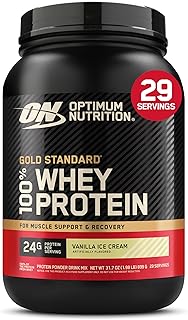
Optimum Nutrition Gold Standard 100% Whey, Vanilla Ice Cream (2 lb) – $44.99 – 4.7 stars. Perfect starter size. Same quality as the bulk.

Premier Protein Powder, Chocolate Milkshake (41.9 oz) – $25.97 – 4.6 stars. 30g protein, 1g sugar. Keto and gluten free. Excellent for weight management.

Orgain Organic Vegan Protein, Vanilla Bean (2.03 lb) – $31.52 – 4.5 stars. Plant-based with 21g protein and 6g prebiotic fiber. No added sugar.

Dymatize ISO 100 Whey Protein Powder, Vanilla (5 lb) – $108.99 – 4.7 stars. Hydrolyzed isolate for rapid absorption. Perfect post-workout.

Premier Protein Powder, Vanilla Milkshake (23.3 oz) – $31.60 – 4.6 stars. Same 30g protein, 1g sugar, great for shakes.

Transparent Labs Grass-Fed Whey Isolate, French Vanilla (30 servings) – $59.99 – 4.5 stars. Naturally flavored, gluten free, and 28g protein per serving.

Body Fortress Super Advanced Whey, Vanilla (3.9 lb) – $45.28 – 4.6 stars. Immune support with Vitamins C, D, and Zinc.

Six Star Whey Protein Powder, Triple Chocolate (1.82 lb) – $24.97 – 4.5 stars. Great budget option with whey isolate and peptides.

Isopure Zero Carb Unflavored (3 lb) – $89.95 – 4.4 stars. Pure whey isolate, no carbs, perfect for keto.

Dymatize Elite 100% Whey, Rich Chocolate (5 lb) – $76.18 – 4.6 stars. 25g protein per serving, 5.5g BCAAs. Great value.
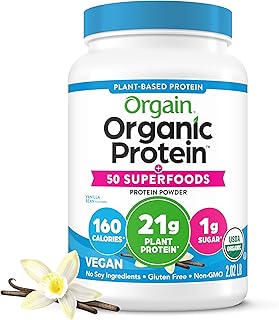
Orgain Organic Vegan Protein + 50 Superfoods, Vanilla Bean (2.02 lb) – $34.15 – 4.6 stars. Plant-based with added superfoods and prebiotic fiber.

Dymatize x Fruity Pebbles ISO100 (20 servings) – $42.48 – 4.6 stars. Delicious flavored isolate for a treat that supports recovery.

Dymatize Super Mass Gainer, Gourmet Vanilla (8 servings) – $39.98 – 4.5 stars. For serious bulkers: 52g protein, 1280 calories, plus creatine.

Levels Grass Fed Whey, Pure Chocolate (2 lb) – $44.99 – 4.5 stars. No artificials, 24g protein, undenatured for quality.

Vital Proteins Collagen Peptides Unflavored (9.33 oz) – $18.65 – 4.6 stars. Not just for joints – collagen supports hair, nails, and skin.

NAKED Whey Vanilla (2 lb) – $44.99 – 4.1 stars. Only three ingredients: grass fed whey, vanilla, and organic coconut sugar.

Nutricost Whey Protein Concentrate Chocolate (5 lb) – $74.95 – 4.5 stars. Affordable, no nonsense, 25g protein per serving.

Orgain Organic Unflavored Vegan Protein (1.59 lb) – $26.99 – 4.3 stars. Unsweetened plant protein, perfect for smoothies without extra flavor.
Frequently Asked Questions
1. Which task management app is best for beginners on iPhone?
Microsoft To Do or Todoist are the most beginner-friendly. Microsoft To Do is free and simple, while Todoist offers a bit more power without overwhelming new users.
2. Can I sync my tasks across iPhone and Android?
Yes. Todoist, TickTick, and Microsoft To Do all offer cross-platform sync. Things 3 and OmniFocus are strictly Apple-only.
3. Is there a task app that includes a habit tracker?
TickTick includes a built-in habit tracker. You can also use Todoist with recurring tasks and labels, but it’s not as visual.
4. Are paid task management apps worth it?
It depends. If you need collaboration, advanced filters, or automations, a paid app like Todoist Pro or OmniFocus can save you hours each week. For simple lists, free apps work fine.
5. How do I stay consistent with my task manager?
Use the daily review habit. Set a recurring reminder to open your app every morning and evening. Pair it with a healthy protein shake to create a routine – your brain links the action with a positive physical cue.
6. Can I use Siri to add tasks?
Yes, most modern task apps support Siri integration. Things 3 and Todoist are especially good at this. Just say “Hey Siri, add buy protein powder to my Todoist inbox.”
7. Which app is best for GTD (Getting Things Done)?
OmniFocus 4 is the gold standard for GTD. Things 3 also follows GTD principles in a more accessible way. Todoist can be configured for GTD with labels and filters.
8. What is the best free task management app for iPhone?
Microsoft To Do is the best free option because it’s full-featured with no subscription. TickTick’s free tier is also very generous.
9. How do I choose between Todoist and TickTick?
If you want a minimalist, fast capture tool, go with Todoist. If you want an all-in-one app with a Pomodoro timer and habit tracking, choose TickTick.
10. Can I manage tasks offline on iPhone?
Yes. Most apps cache your data locally and sync when you’re back online. Things 3 and OmniFocus work fully offline. Todoist and TickTick also support offline mode.
Final Thoughts
Your task management app is the command center of your day. Whether you choose the elegance of Things 3, the flexibility of Todoist, or the all-in-one power of TickTick, the best app is the one you actually use. Commit to a system, pair it with proper nutrition and recovery, and watch your productivity soar.
Remember: The goal isn't to be busy – it's to be effective. Choose your tools wisely, and build the life you want, one task at a time.