

You’ve worked hard to build your wealth, but have you thought about what happens to your online accounts after you’re gone? From banking logins to cryptocurrency wallets, your digital life holds real value—and without a plan, it could be lost forever.
In today’s world, protecting your heirs means more than a will. It means handing over the keys to your digital kingdom. Let’s explore how to organize your digital assets and passwords so your loved ones can access what matters most, without stress or guesswork.
Table of Contents
What Are Digital Assets? (And Why They Matter)
Digital assets are anything you own or control online that holds personal, financial, or sentimental value. This includes:
- Financial accounts – bank, brokerage, retirement, PayPal, Venmo, crypto exchanges
- Subscription services – Netflix, Amazon, Spotify, cloud storage
- Social media – Facebook, Instagram, LinkedIn, Twitter
- Business assets – domain names, websites, email accounts, client databases
- Sentimental items – digital photos, videos, journals, family trees
Without clear instructions, your heirs may face locked accounts, lost money, and endless frustration. That’s why a simple password list isn’t enough—you need a structured system.
Why Most Estate Plans Miss This
Traditional estate planning focuses on physical property—houses, cars, bank accounts. But digital assets are often overlooked. A 2023 survey found that only 20% of Americans have a plan for their digital accounts.
That gap can cost your family dearly. Imagine your spouse trying to access an insurance policy that’s only online, or your kids losing years of family photos because they don't know your cloud password.
For a deeper look at why this matters for everyone, read Why Estate Planning Isn’t Just for the Wealthy?.
The Password Problem – Creating a Secure Digital Inventory
Your heirs need two things: a list of your digital accounts and a way to unlock them. But writing passwords on a sticky note or in a plain text file is a security nightmare.
Best practices for a secure digital inventory:
- Use a password manager (like LastPass, 1Password, or Bitwarden) to store all logins in one encrypted vault.
- Create an emergency access feature so your designated person can request entry after a waiting period.
- Store a physical backup of your master password and vault instructions in a safe deposit box or with a trusted attorney.
- Keep a paper inventory (no actual passwords) listing all accounts, with notes on where to find the logins.
Don’t forget: update this inventory annually, and after any major life event.
Tools and Best Practices for Sharing Access
A password manager is your best friend here. Most modern managers allow you to set up “digital legacy” settings. For example, you can name a trusted contact who receives access only after you’re gone.
Beyond passwords, consider:
- Designating a digital executor in your will (more on that below)
- Using a secure document storage service (like Everplans or Clocr) to hold your master letter
- Recording video instructions for accounts that require two-factor authentication (2FA) tied to your phone
For the bigger picture of estate planning documents, see Wills vs Trusts vs Beneficiary Designations: What They Do.
Legal Considerations – Your Digital Executor
Different states have different laws regarding digital assets. The Revised Uniform Fiduciary Access to Digital Assets Act (RUFADAA) gives executors some rights, but only if you’ve explicitly granted permission in your will or trust.
Steps to legalize your digital plan:
- Name a digital executor in your will (separate from your general executor if you prefer).
- Include a clause that grants them authority to access, manage, and delete your online accounts.
- Provide them with the password manager master password (or instructions to obtain it).
- Review service terms – some platforms (like Facebook) have their own legacy contact settings.
This isn’t just about convenience; it’s about preventing legal battles. If you have a blended family or complex heirs, read Blended Families and Complex Heirs: Planning Fairly vs Equally.
Step-by-Step Guide to Organize Your Digital Legacy
Follow these seven steps to create a system that works for you and your heirs:
- List every digital account you can think of (use your browser’s saved passwords as a starting point).
- Categorize them – financial, social, utilities, subscriptions, sentimental.
- Decide which accounts should be closed, transferred, or memorialized (e.g., Facebook).
- Set up a password manager and move all logins into it.
- Enable emergency access for your chosen heir.
- Write a digital inheritance letter – a non-legal document that explains your system, lists accounts, and names your digital executor. Store it with your will.
- Review annually – update passwords, remove unused accounts, and refresh your letter.
Product Comparison: Build Your Financial Mindset
Two excellent books can help you understand the broader principles of wealth that make digital organizing worthwhile. They’re not just about passwords—they’re about preserving what you’ve built for the next generation.

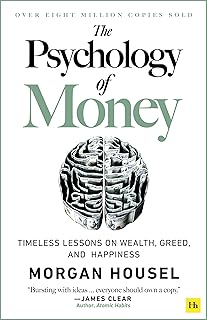
| Feature | Rich Dad Poor Dad | The Psychology of Money |
|---|---|---|
| Author | Robert T. Kiyosaki | Morgan Housel |
| Focus | Mindset shift, investing, financial independence | Behavioral finance, long-term wealth habits |
| Price | $9.31 | $10.99 |
| Rating | 4.7 stars (107,400+ reviews) | 4.7 stars (71,600+ reviews) |
| Best for | Beginners wanting to rethink money | Anyone wanting to understand money behavior |
| Buy at Amazon | Buy Rich Dad Poor Dad | Buy The Psychology of Money |
Reading these books can shift how you approach digital legacy planning—from a chore to a meaningful act of love.
The Emotional and Financial Value of Preparation
When a loved one dies, the last thing grieving family members need is a digital scavenger hunt. Clear organization reduces stress, prevents financial losses, and honors your memory.
Imagine your heirs finding a detailed guide instead of a locked phone. That’s a gift of peace. And if you’ve ever wondered what to do with an unexpected inheritance, read What to Do When You Unexpectedly Receive an Inheritance?.
Also, be aware of the emotional pitfalls. The article Grieving and Money: Avoiding Rushed, Regretful Decisions offers wisdom for those left behind.
Frequently Asked Questions
What is a digital asset in estate planning?
A digital asset is any online account or file that has monetary, legal, or sentimental value. Examples include bank accounts, cryptocurrency, email, social media, photos, and subscription services.
Do I need a separate digital will?
Most states allow you to include digital asset provisions in your existing will or trust. However, a separate digital inheritance letter (non-legal) is highly recommended to provide step-by-step instructions.
Can my executor access my email and social media after I die?
Only if you explicitly grant permission in your will or use the platform’s own legacy settings. Services like Facebook and Google have built-in tools for designating a legacy contact.
What’s the safest way to share passwords with heirs?
Use a password manager with an emergency access feature. Avoid storing passwords in plain text or sharing them prematurely.
How often should I update my digital estate plan?
At least once a year, or after any major life change (marriage, divorce, new job, new accounts). Also update whenever you change a master password.
Conclusion: Your Digital Legacy Is Worth Protecting
Organizing digital assets and passwords for your heirs isn’t just about security—it’s about compassion. A little effort today can save your loved ones from endless headaches tomorrow.
Start with a simple list. Add a password manager. Write that letter. And if you want to deepen your financial wisdom, grab a copy of Rich Dad Poor Dad or The Psychology of Money—both are investments in understanding how wealth truly works.
Your heirs will thank you.